
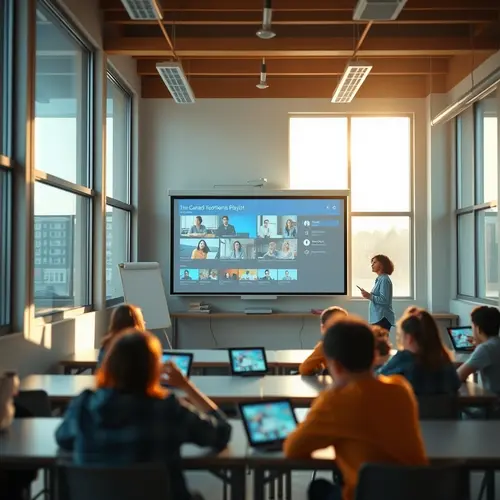
Video Resources
Modern K-12 classrooms rely heavily on visual media to engage students, break down complex abstract concepts, and support differentiated learning. However, educators searching for effective video resources face a chaotic digital landscape: low-resolution uploads, intrusive advertisements, ambiguous copyright restrictions, and clips that fail to align with state learning benchmarks.
Separating durable, high-impact instructional media from viral internet noise requires a structured curation framework. By establishing clear selection rubrics, leveraging dedicated educational platforms, and implementing systematic tagging workflows, teachers and instructional coaches can build a standard-aligned library that enriches instruction while cutting lesson preparation time.
Essential Selection Criteria for Classroom Video Resources
Before introducing any visual media into a lesson plan, teachers should evaluate content through both a pedagogical and regulatory lens. The U.S. Department of Education highlights strict compliance with accessibility standards under Section 508 and the Americans with Disabilities Act (ADA) to ensure equitable learning access for all students.
Accessibility and Universal Design for Learning (UDL): Prioritize videos with professional closed captions, full transcripts, and clear audio mixing. Auto-generated captions frequently misinterpret academic vocabulary, technical jargon, and varied accents, requiring manual review before classroom presentation.
Curriculum Alignment: Verify that the clip directly addresses targeted state standards, Common Core State Standards (CCSS), or Next Generation Science Standards (NGSS).
Cognitive Load and Pacing: For flipped classroom models and direct instruction, select short, concept-focused clips (3 to 7 minutes) for elementary and middle school grades. Reserve longer documentaries (20+ minutes) for high school project-based inquiry cycles.
Distraction-Free Environment: Avoid platforms that display third-party pop-up ads, unmoderated comment sections, or unpredictable sidebar recommendations that breach student data privacy or break classroom focus.
Comparing Top Educational Video Resources
Platform selection directly shapes teacher workflow, content reliability, and student safety. The table below compares leading repositories for K-12 instructional media:
| Platform | Caption Accuracy | Licensing & Usage Terms | Standards Tagging | Primary Classroom Use Case |
| PBS LearningMedia | Professional human transcripts | Free educational use | Tagged to state & national standards | Core subject instruction, social studies, and STEM units |
| Khan Academy | High accuracy across subjects | Free (CC BY-NC-SA) | Aligned with CCSS math & science tracks | Self-paced remediation, flipped learning, and test prep |
| YouTube EDU | Mixed (Auto-generated + Manual) | Standard YouTube / CC BY | Community-curated playlists | Hooking interest, real-world demos, current events |
| Vimeo | High (User-uploaded SRT/VTT) | CC BY, CC BY-SA, Custom | Manual tagging required | Ad-free embedding for LMS and school websites |
Navigating Video Resources Copyright, Licensing, and Fair Use
A common misconception among educators is that any free video online can be edited, downloaded, or republished inside a Learning Management System (LMS). While the TEACH Act and Fair Use doctrine grant latitude for face-to-face instruction, digital and hybrid learning environments carry strict legal boundaries.
Creative Commons (CC BY / CC BY-NC): Permits educators to share and adapt material, provided credit is given to the creator.
Standard YouTube Licenses: Grant streaming rights within the platform, but strictly prohibit offline downloading, ripping audio, or editing without express permission.
Public Domain & OER: Ideal for building permanent district-wide media repositories without recurring licensing costs or copyright audits.
Best Practice: Log the license type, source URL, and usage boundaries in a central district database to maintain a clean legal audit trail.
A Step-by-Step Workflow for Building a Video Resources
Curating media is only effective if teachers can retrieve relevant assets within seconds. In a mid-sized district pilot study, educators who systematically pre-tagged clips reduced their lesson planning prep time by 35 percent.
Perform Caption Audits: Run automated transcript checks, then manually correct technical vocabulary, speaker labels, and mathematical formulas.
Tag Metadata Thoroughly: Label every saved clip with grade level, subject domain, key vocabulary terms, and specific standard codes (e.g., NGSS MS-LS1-2).
Centralize Storage: Store master links or files on a secure cloud drive or within your district’s LMS (such as Canvas, Schoology, or Google Classroom).
Adopt Open File Formats: Save offline local media using universal containers like MP4 with H.264 Video Resources – encoding to guarantee smooth playback across iPads, Chromebooks, and interactive displays.
Schedule Quarterly Audits: Retire outdated content, review broken hyperlinks, and update tags when state curriculum standards shift.
Transforming Video Resources – Passive Viewing into Active Learning
Simply playing a Video Resources at class does not guarantee learning. To turn passive viewing into an active cognitive exercise, integrate interactive instructional strategies:
Pause-and-Predict Prompts: Embed timestamped reflection questions using tools like Edpuzzle to test comprehension mid-clip.
Dual-Coding Graphic Organizers: Provide structured note-taking sheets (such as concept maps or Venn diagrams) for students to complete while watching.
Anchoring Phenomenon: Use short 90-second Video Resources clips at the start of a unit to spark student inquiry and drive group discussion.
Applying a disciplined selection process transforms raw online clips into a reliable video resources library—supporting differentiated instruction and driving measurable student achievement across all grade levels.
How do I curate video resources for K-12?
Define the learning goal, vet each source, and organize clips by topic, grade, and length.
What licensing issues should educators check?
Confirm public performance rights, platform terms, and whether downloaded clips can be shared.
How do I keep a video library useful?
Review links each term, replace broken or outdated clips, and tag resources for quick search.
About the Author