Teaching Videos
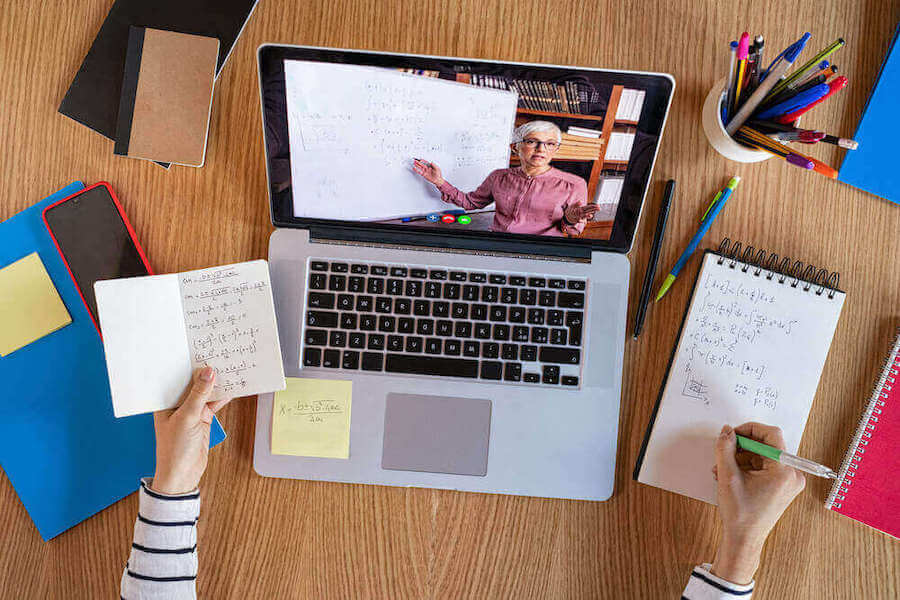
Hybrid and digital learning environments, teaching videos have evolved from supplementary classroom novelties into core pedagogical tools. These concise, purpose-built digital assets allow educators to explain complex concepts, demonstrate multi-step procedures, and deliver targeted remediation. By combining visual narration, on-screen text, and active learning cues, well-crafted video media maintains student focus while providing consistent, repeatable instruction. For ready-to-use free classroom resources, see this guide.
When grounded in multimedia learning theory, video content reduces cognitive load and empowers students to master difficult concepts at their own pace.
Pre-Production: Designing Teaching Videos for Cognitive Impact
Effective video creation begins long before hitting the record button. Unscripted, sprawling lectures often lead to cognitive overload and student disengagement. To maximize retention, instructional designers recommend breaking complex curricula into bite-sized micro-learning modules.
-
Target the 3-to-6 Minute Window: Research indicates student engagement drops significantly after six minutes. Limit each clip to a single, clearly defined learning objective to preserve focus.
-
Develop a Dual-Stream Script: Draft a side-by-side script specifying spoken narration alongside visual cues, such as on-screen text callouts, diagrams, or physical demonstrations.
-
Build Storyboard Frameworks: Outline slide transitions, camera angles, and digital whiteboard annotations prior to filming to minimize post-production editing time.
-
Embed Pauses for Active Recall: Plan specific moments in the script where students are instructed to pause the clip and complete a quick reflection or practice problem.
Technical Teaching Videos Production Setup and Editing Standards
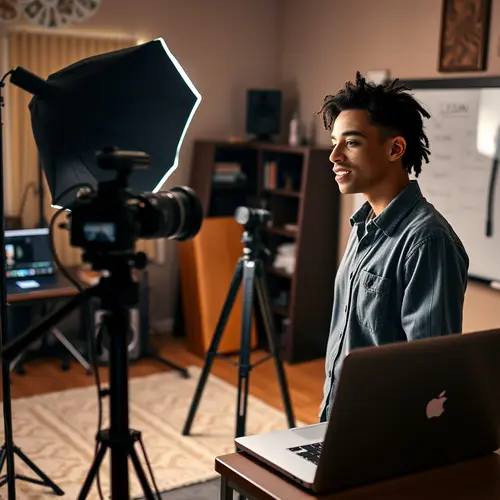
Creating professional teaching videos does not require an enterprise studio budget; it requires attention to fundamental production standards. Technical friction—such as distorted audio or blurry visuals—distracts from instructional content and harms learner comprehension.
Hardware and Capture Basics
-
Video Resolution: Capture video at a minimum resolution of 1080p using a high-definition webcam or dedicated digital camera.
-
Audio Isolation: Prioritize clear audio recording using an external USB or lavalier microphone to minimize ambient room noise and echo.
-
Lighting Configuration: Position soft, diffused lighting at a 45-degree angle relative to the instructor to eliminate harsh facial shadows.
-
Screencasting Tools: Utilize reliable screen-capture software when demonstrating software applications, mathematical proofs, or slide deck presentations.
Teaching Videos Post-Production and Accessibility
Once raw footage is captured, edit the file using a timeline-based editor. Incorporate closed captions to comply with ADA accessibility guidelines and support English Language Learners (ELL). Insert chapter markers to allow rapid navigation, and export the final render using the universal MP4 container with an H.264 codec to optimize file size without sacrificing visual fidelity.
Best Videos for Educators: How to Choose
The best videos for educators do more than explain a topic. They fit a specific learning objective, respect attention limits, and give students a way to check understanding. Use these criteria before you add a video to a lesson or a media library.
| Criterion | What good looks like | Red flag |
|---|---|---|
| Learning objective | One clear objective, stated in the first 30 seconds | A broad lecture with no focus |
| Length | A focused segment that matches the lesson | Long unbroken recording |
| Accuracy | Current information with a named source | No author, date, or citation |
| Accessibility | Accurate captions and a transcript | Auto-captions with no review |
| Active learning | A prompt, pause, or quiz tied to the content | Passive playback with no task |
Evaluate before you assign
Watch the video once as a student, then once as a teacher. Check whether the examples match your curriculum and whether the vocabulary fits the class. Test the video on the device students actually use, including a phone and the learning management system.
Look at the first ten seconds. If the objective is unclear, students will spend the rest of the clip guessing why they are watching. A short clip with a clear task usually beats a longer clip with more detail.
Build a curated library
Store only videos you would assign again. Tag each item with the grade level, subject, unit, and objective so another teacher can find it without watching the whole clip. Add a one-line note about the best pause point or discussion question.
Review the library each term. Retire broken links, outdated examples, and clips that no longer match the standard. A small, well-tagged collection is more useful than a large folder of unlabeled links.
Teaching Videos – Measuring Student Engagement and Learning Outcomes
Deploying video content into your Learning Management System (LMS)—such as Canvas, Schoology, or Google Classroom—provides actionable analytics regarding student interaction. Tracking viewing behavior allows educators to continuously refine pacing and content delivery.
| Performance Metric | Target Benchmark | Educational Source | Operational Strategic Value |
| Average View Duration | ≥ 75% of video length | U.S. Dept. of Education, Office of Ed Tech | Measures overall engagement and flags pacing slowdowns |
| Completion Rate | ≥ 80% of assigned cohort | EdTech Magazine Instructional Guide | Confirms accessibility and appropriate video length |
| Post-Video Quiz Improvement | +15% vs. traditional lecture | Journal of Educational Psychology | Validates instructional efficacy and conceptual mastery |
According to findings published by the U.S. Department of Education’s Office of Educational Technology, integrating well-structured instructional clips into lesson plans can increase overall knowledge retention by up to 25 percent compared to passive listening alone.
Best Practices Teaching Videos – for LMS Deployment and Classroom Integration
To build a long-term media library, educators must organize assets for frictionless discovery and active classroom integration.
-
Tag Metadata Rigorously: Tag every uploaded asset with grade levels, subject areas, unit titles, and specific state curriculum standard codes.
-
Pair with In-Video Quizzing: Utilize interactive tools like Edpuzzle or Kaltura to embed formative checks directly into the video timeline, preventing passive viewing.
-
Support Asynchronous Learning: Use media archives to facilitate flipped classroom models, allowing students to digest core lectures at home and reserve in-person class time for collaborative problem-solving.
-
Conduct Regular Content Audits: Schedule semesterly reviews to retire outdated media, update broken hyperlinks, and realign tags with updated district learning standards.
Investing time in disciplined production and curation transforms temporary classroom recordings into a permanent library of high-impact teaching videos. By anchoring video production in proven multimedia principles, educators create scalable, accessible learning tools that drive measurable student achievement.
Related reading: Navigating the Digital Classroom: A Guide to Effective Remote Teaching and The Teacher's Toolkit: Essential Tips for Remote Instruction.
Pre-Production: Designing Teaching Videos for Cognitive Impact
Effective video creation begins long before hitting the record button. Unscripted, sprawling lectures often lead to cognitive overload and student disengagement.
Technical Teaching Videos Production Setup and Editing Standards
Creating professional teaching videos does not require an enterprise studio budget; it requires attention to fundamental production standards. Technical friction—such as distorted audio or blurry visuals—distracts from instructional content and harms learner comprehension.
Hardware and Capture Basics
Video Resolution: Capture video at a minimum resolution of 1080p using a high-definition webcam or dedicated digital camera. Audio Isolation: Prioritize clear audio recording using an external USB or lavalier microphone to minimize ambient room noise and echo.
A Post-Production Quality Checklist
Before publishing, check that captions match the spoken words, audio peaks stay below clipping, and the first ten seconds state the learning objective. Trim pauses longer than two seconds, add chapter markers, and confirm the video plays on a phone without zooming. Test the upload inside the learning management system rather than only on a desktop browser.
Finally, provide a transcript and a short written summary for students who cannot stream video. Accessibility improvements reduce support requests and make the lesson easier to review before an assessment.
Keep the original project files and a short production log so the lesson can be updated next term without rebuilding it from scratch. Name files consistently, store them in one shared folder, and note which microphone, camera, and software versions were used. When a student reports a problem, the log often reveals whether the cause was the recording, the upload, or the learning platform itself.
About the Author